

Trigger
Paid orders, renewals, overdue states and manual service actions start the workflow.
Automation & Provisioning
WISECP turns paid orders, renewal dates and service events into queued work, executes module actions and keeps retries, errors and manual controls visible inside one observable automation system.
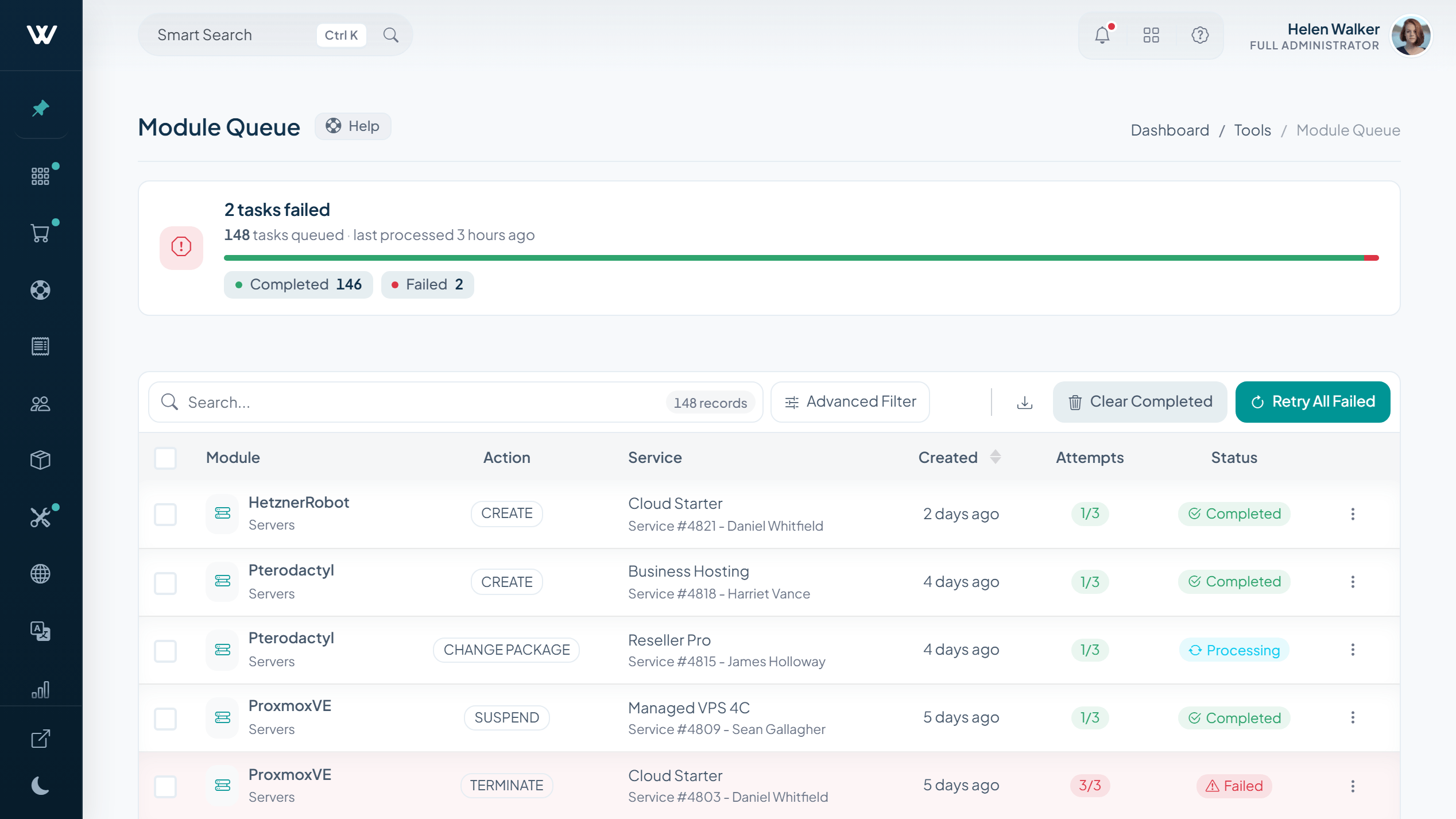
Automation Control Plane
A paid order, due date, overdue state or staff action becomes a job with a clear execution path and a visible outcome.
Paid orders, renewals, overdue states and manual service actions start the workflow.
Jobs carry attempt counts, worker ownership, heartbeat state and the next retry time.
Create, suspend, unsuspend, terminate, reinstall or rebuild the service through its module.
Update service state, continue child jobs and send the matching client notification.
Resilient Job Trace
Each queued job carries its own attempt history. Idempotency keys guard against duplicate work, while worker heartbeats and next-retry timing keep execution observable.
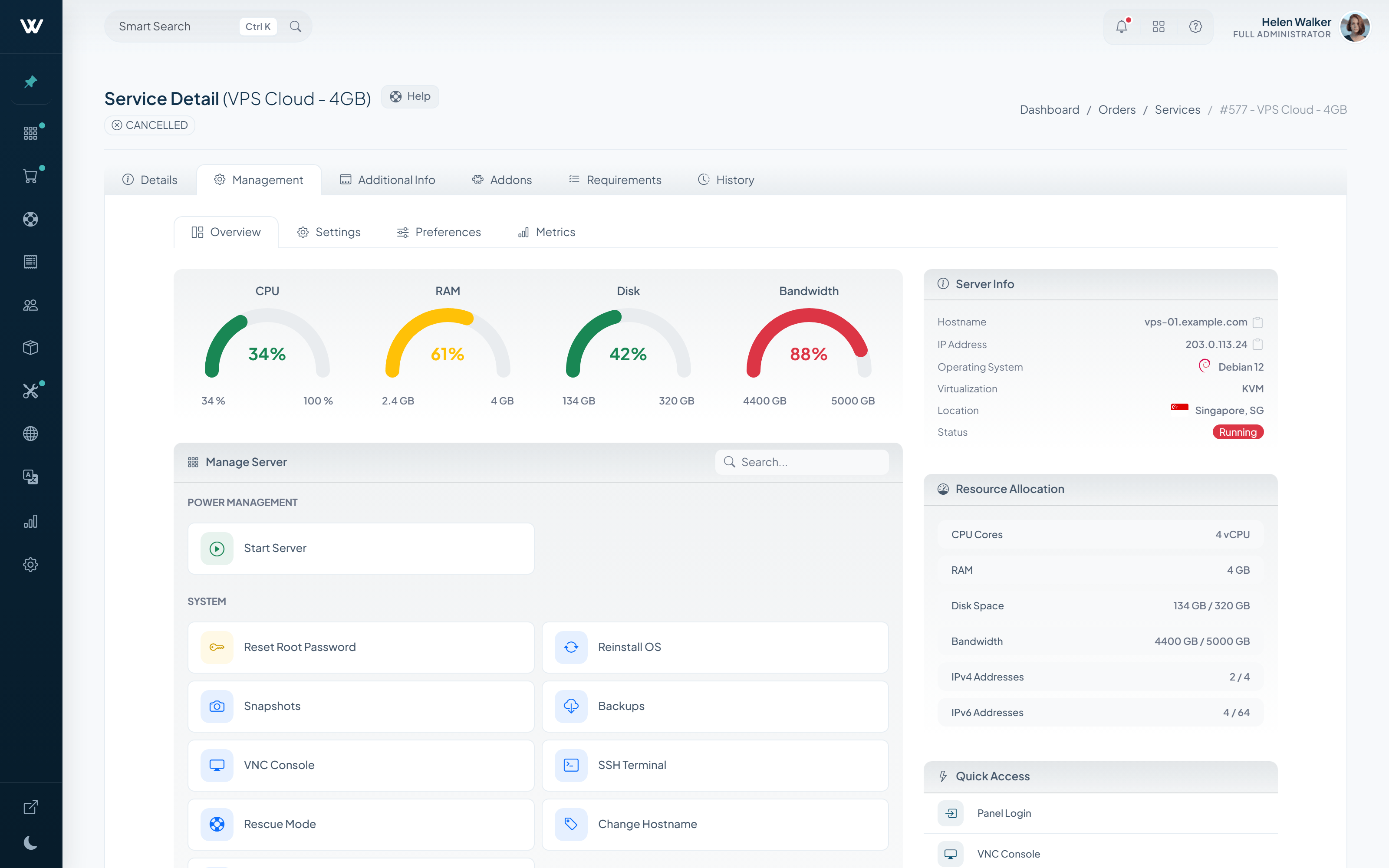
Service Lifecycle
Automation handles routine state changes, while staff can inspect the service record and intervene when a case needs judgment.
Upgrade and downgrade requests move through Pending, In Process, Scheduled and Completed states, with proration and refund options.
Automation Dashboard
A searchable catalog of 72 registered tasks brings billing, services, domains, support and infrastructure work into one control center.
Invoice generation, metric invoices, Auto-Pay, reminders, overdue notices and late fees.
Suspension, metered suspension, cancellation, server termination and request processing.
Renewal and expiration notices, grace and redemption handling, relock, transfer sync and SSL expiration.
Email Pipe, ticket automation, auto-close, bulk notifications and the notification queue.
Module jobs, metric collection, cloud cost and stock sync, backups, retention and cleanup.
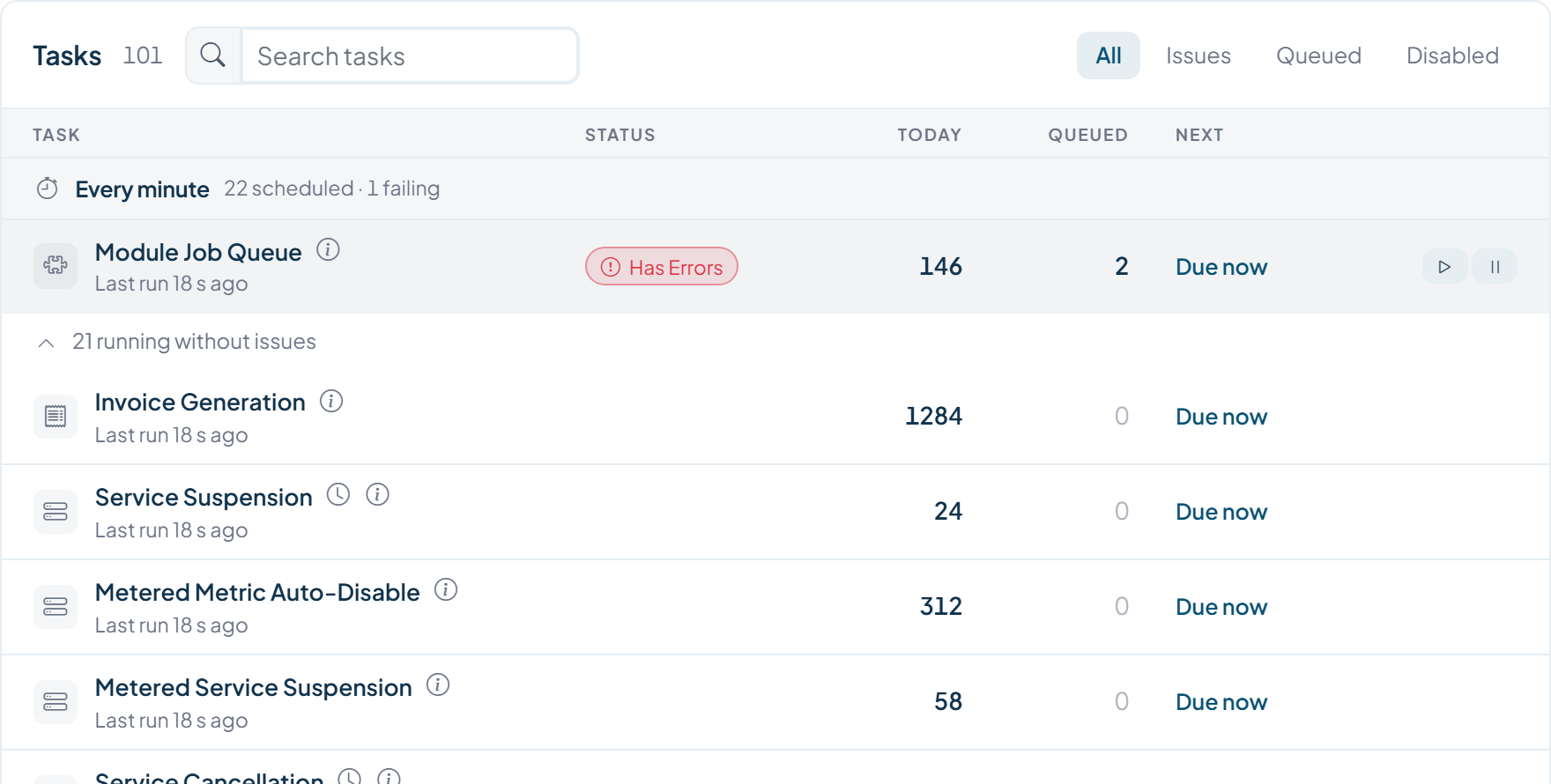
See the last run, upcoming job, active work, pending work and failures.
Narrow the catalog by issues, pending work, active tasks or disabled tasks.
Filter execution history by task, stage, period and completion state.
Inspect Results, Info, Payload, Attempts and parent or child relationships.
Automation Settings
The Settings side of Automation separates worker health from the business rules that govern invoices, services, support and housekeeping.
Install through the hosting panel, CLI or cURL, then connect external monitoring with the protected monitor URL.
Worker setup, processing window, job retention, external monitoring, cleanup and Cron Secret.
Creation timing, three pre-due and three overdue reminders, cancellation, cleanup and late-fee policy.
Suspension, metered suspension, cancellation, server deletion, stale orders and domain notices.
Choose when inactive tickets close automatically and when closed tickets become locked.
Schedule log cleanup and remove unverified or empty accounts after your chosen delay.
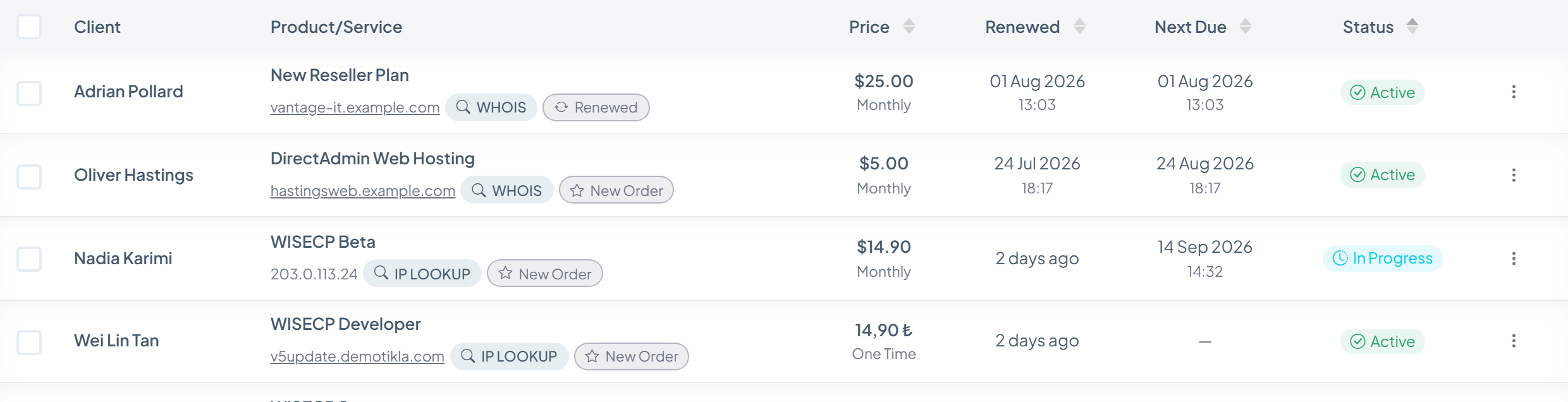
Service Operations
Service state, placement and infrastructure health stay visible around the jobs that change them.
Queue Foundations
The queue records enough execution context to diagnose a stalled job, retry it safely and understand where it belongs in the wider workflow.
Unique job keys prevent the same queued action from being created twice.
Worker ownership and heartbeat state make active processing visible.
Maximum attempts and next-retry timing keep failures controlled.
Results, metadata, payload, attempts and parent-child links stay with the job.
See It in Context
Open the Automation Dashboard, inspect a task and follow its job record into service provisioning in the live admin demo.