
Filters That Understand the Product
Filter services by cycle, server, dates, IP, client and even product-specific fields such as operating system, datacenter or SSH key.
 Evolution
WISECP 5.0 is not an update. It is a new build from the ground up, designed not around the heavy habits the industry has dragged along for twenty years, but as a modern system that meets everything you expect and need.
The Cockpit
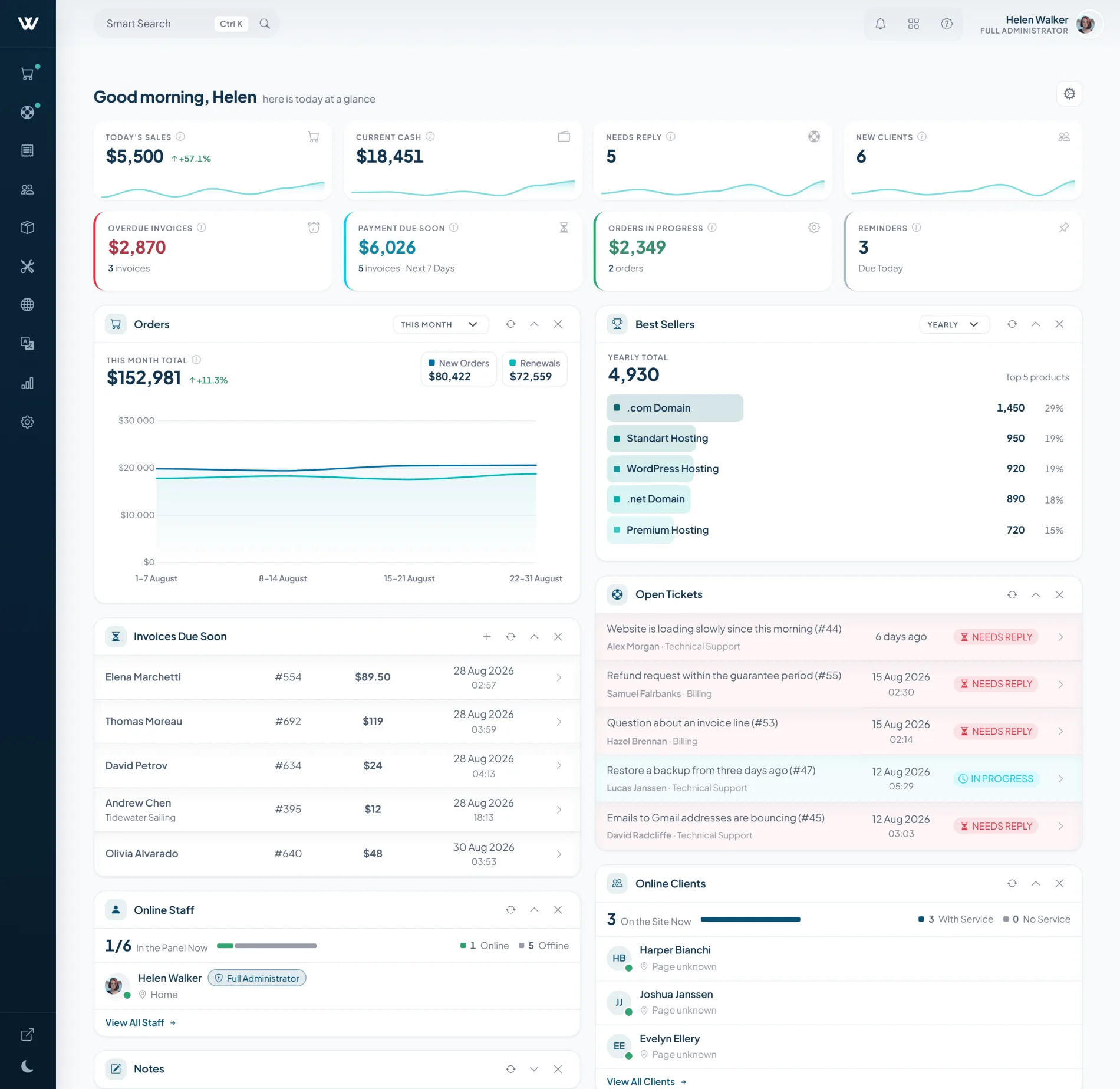
The admin panel was redesigned from scratch. Everything you look for is where it should be, every screen reads at first glance, and no task sends you wandering through menus. We rethought what a tool you touch hundreds of times a day should feel like.
Filter services by cycle, server, dates, IP, client and even product-specific fields such as operating system, datacenter or SSH key.
Build multi-product orders with cycle, price override, promotion, tax status, invoice outcome and client-facing notes on one surface.
New client creation is reorganized into four clear steps for identity, contact, preferences and password, without dropping the controls operators rely on.
WAnalytics groups client, service, invoice and support reports, with selected-period comparisons that make movement easier to read.
A single wizard starts hosting, server, software and other-service products, then carries module, pricing, cycles and requirements into the same flow.
Transfers, cancellation requests and upgrade or downgrade requests move into dedicated work queues while the underlying service controls stay familiar.
Automation
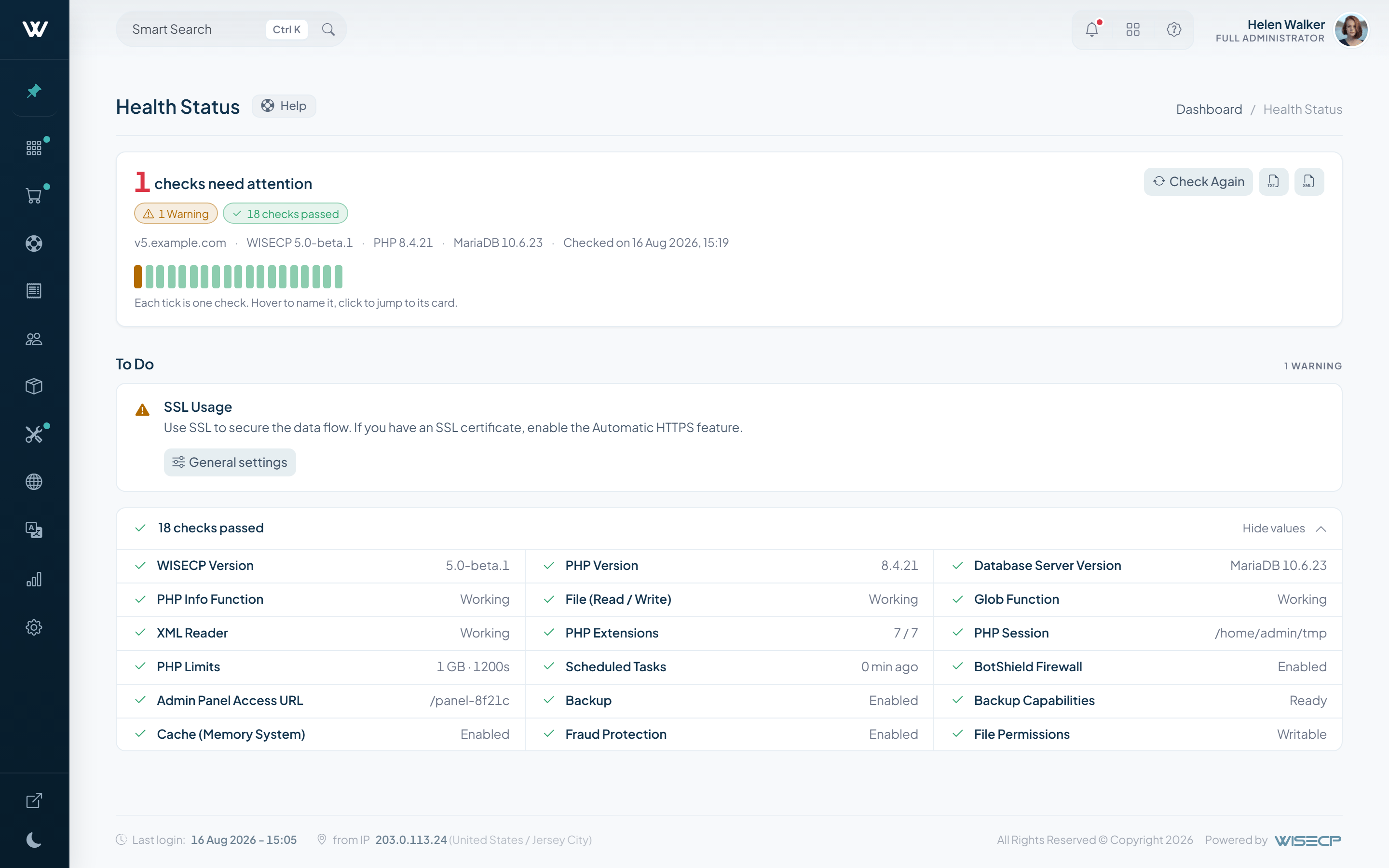
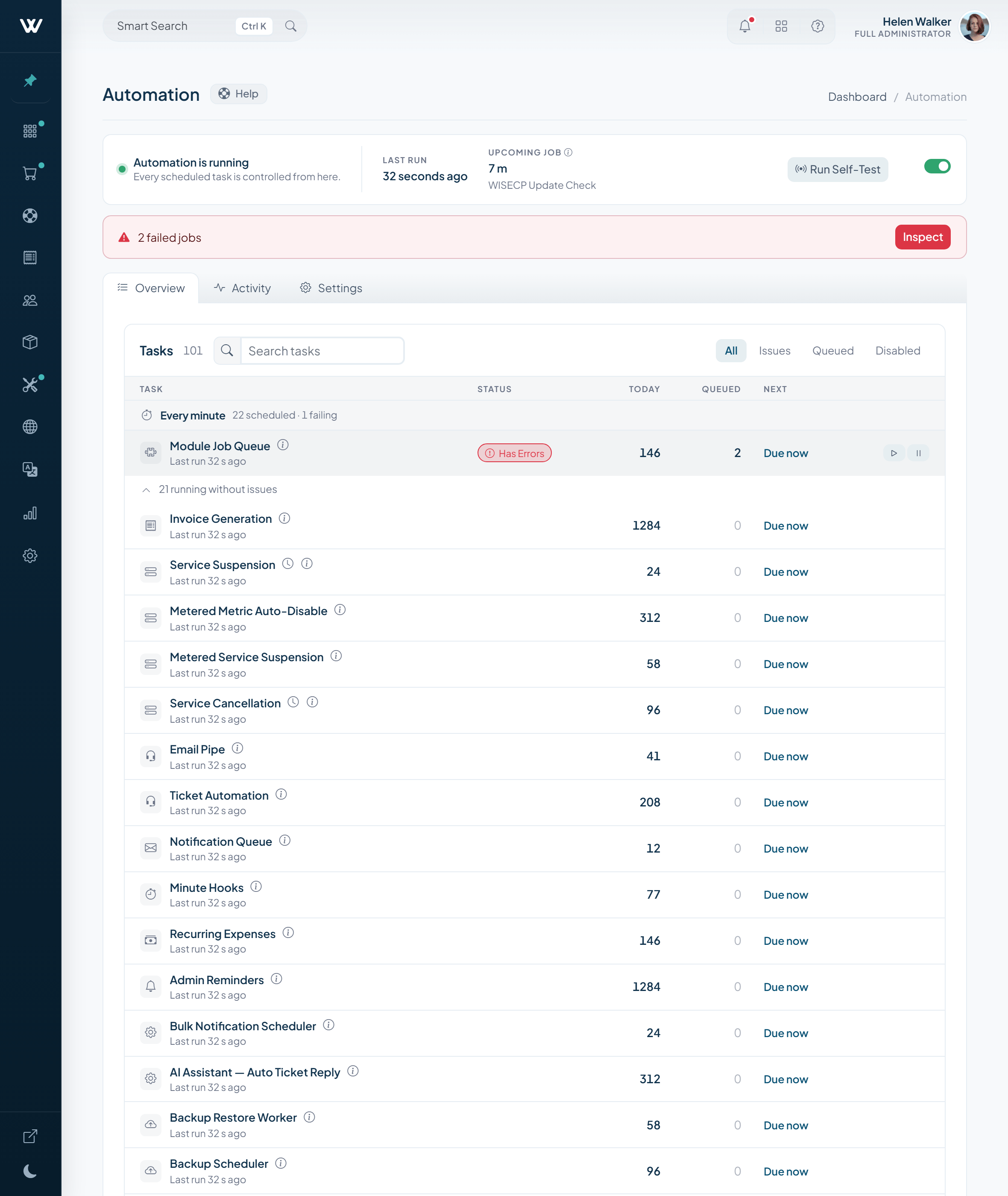
Automation is no longer a single settings screen. All 74 scheduled tasks sit in one catalog you can watch while it runs: start or pause each one, filter for whatever is pending or failing, read live system status, and run a self-test across the whole pipeline whenever you want.
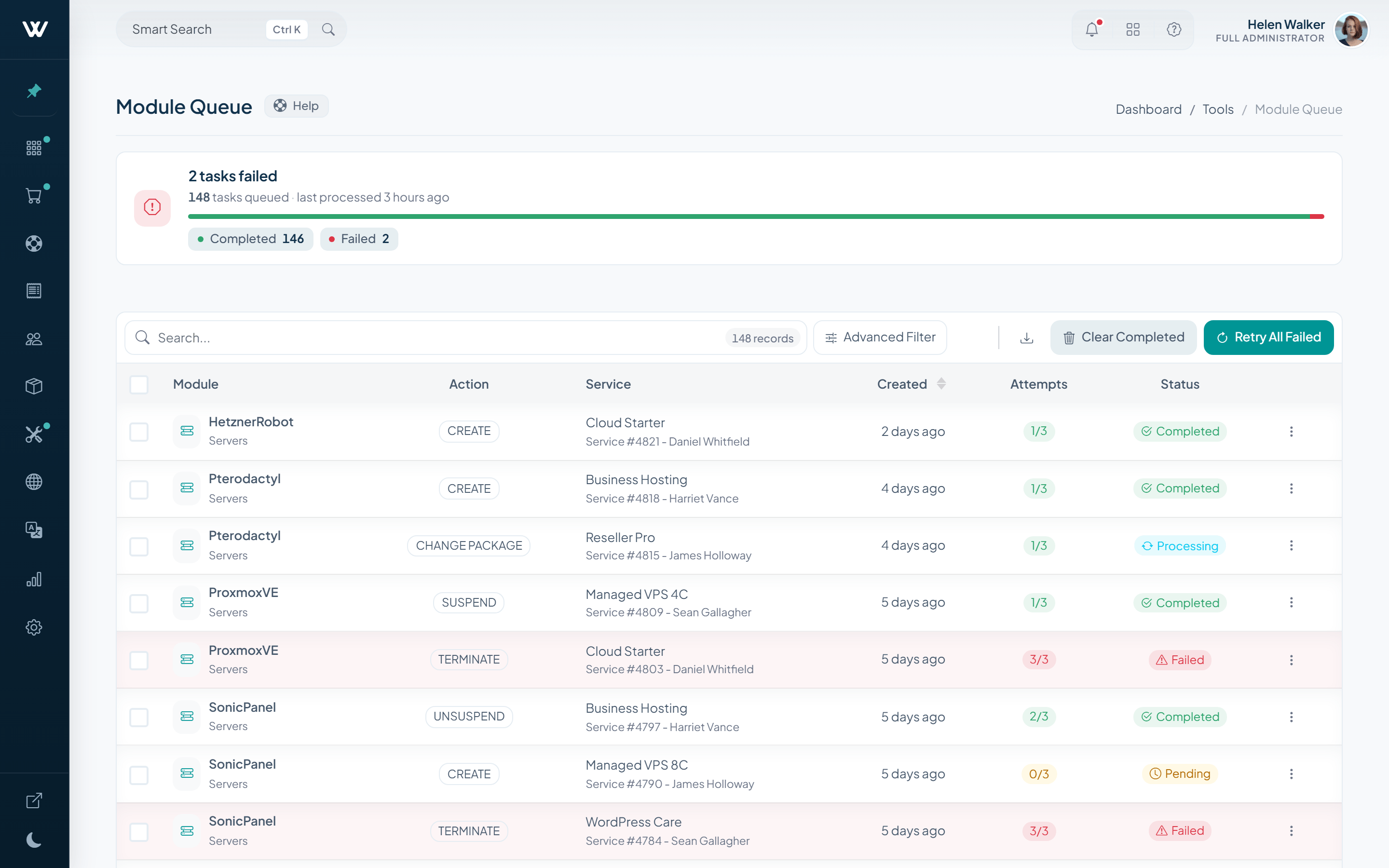
Provisioning no longer disappears into a black box. Every module call lands in a queue you can read, and the panel stays free while the work runs in the background.
Every create, suspend or terminate job keeps its target module, attempt count and one-click retry, plus Retry All Failed.
Every email and SMS the platform sends follows the same visible status and retry discipline.
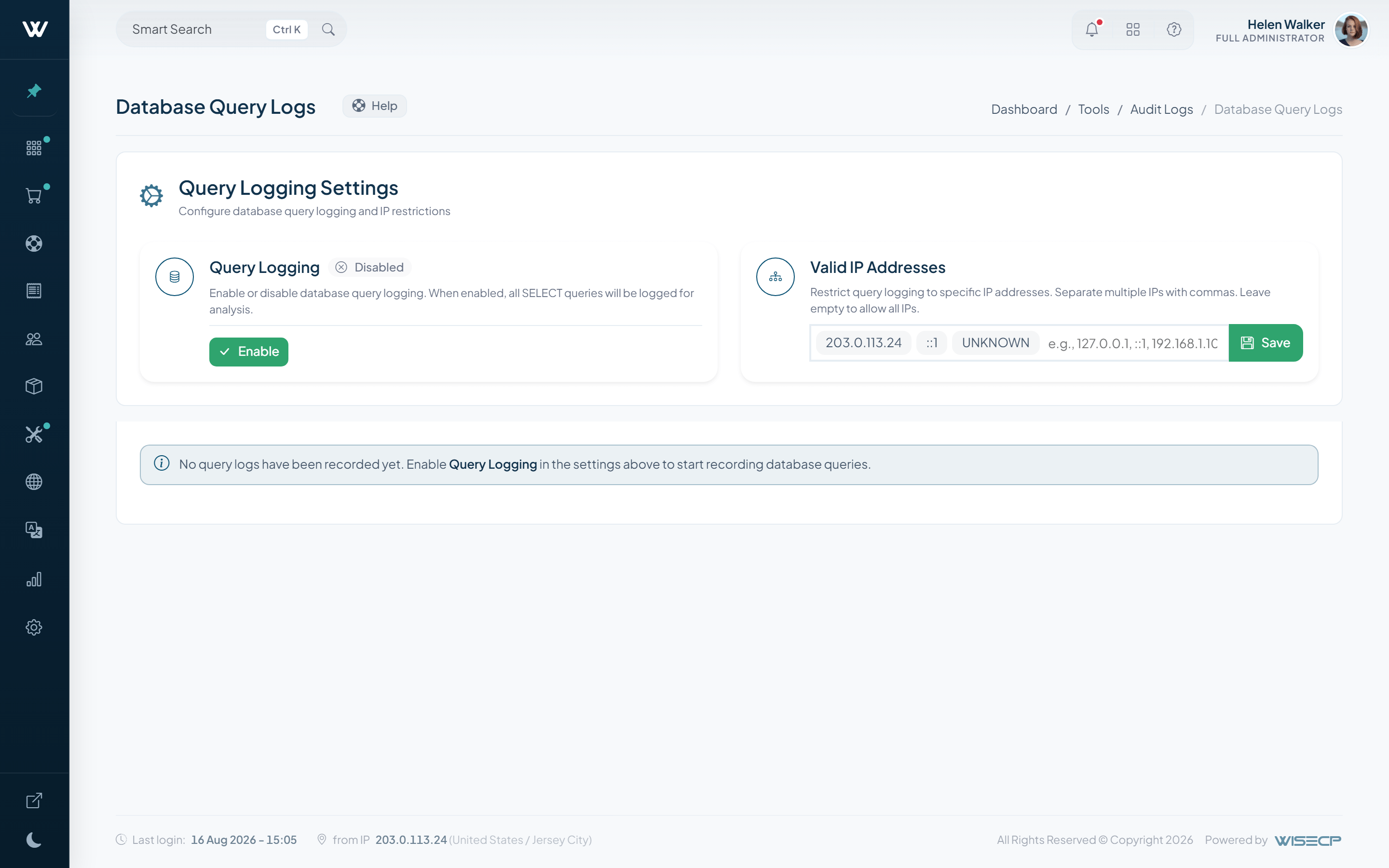
An IP-restricted diagnostic view records what actually ran without mixing it into the job queues.
Billing
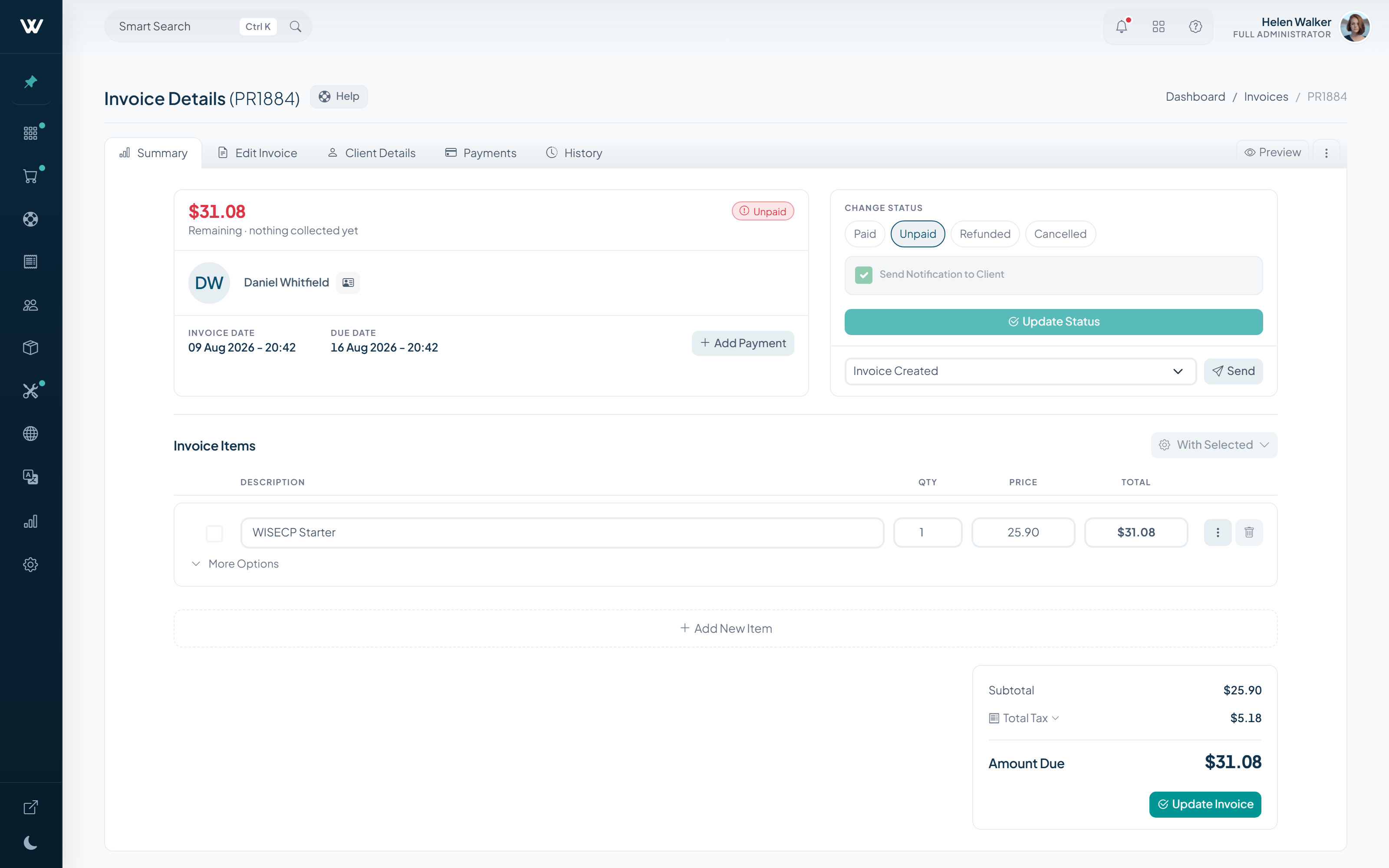
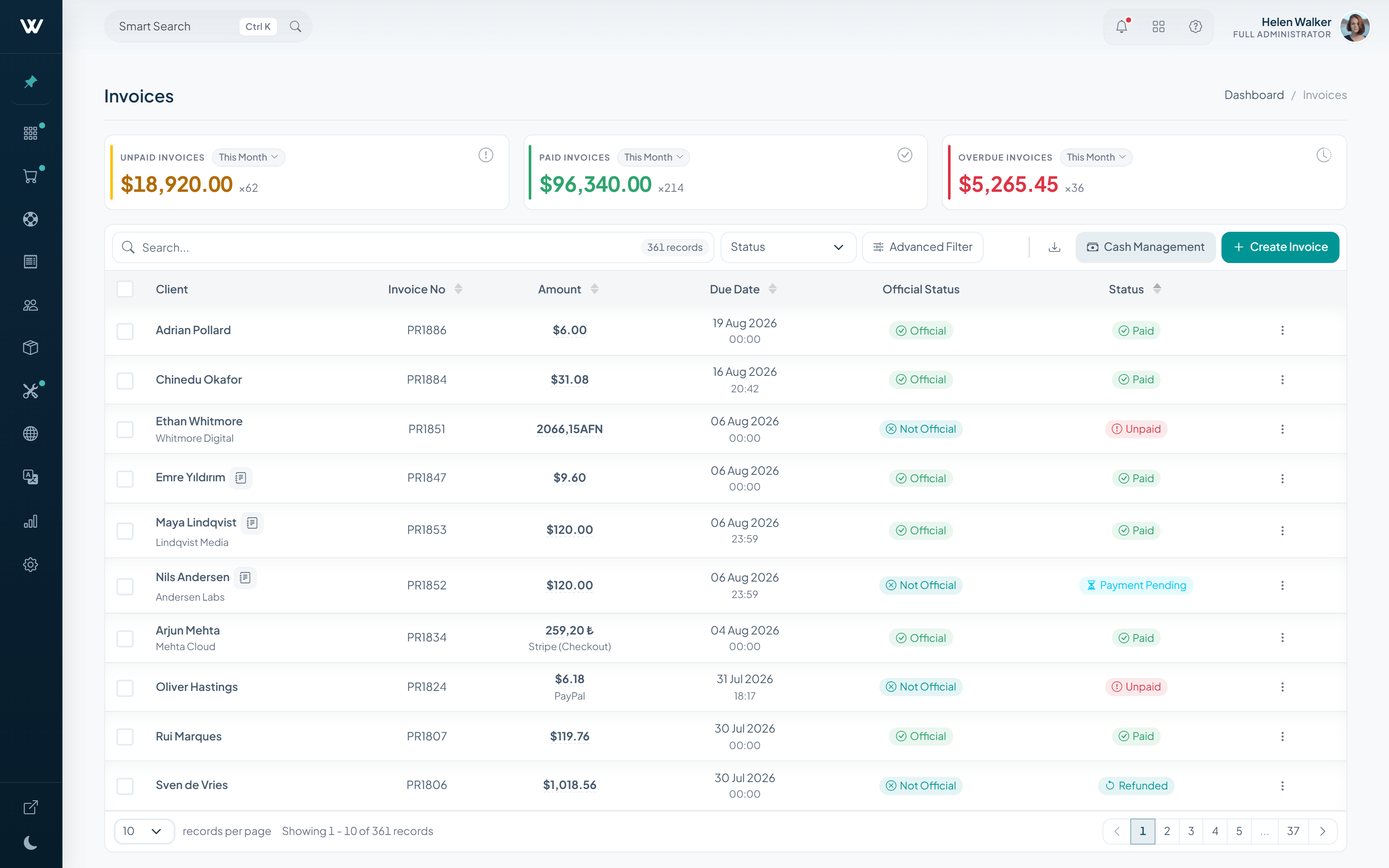
Billing opens on the invoice work operators use every day: clear states, searchable records, direct client-view access and totals that stay easy to inspect. Subscriptions remain available as a dedicated surface without taking over the billing story.
Paid, unpaid, overdue and refunded totals sit at the top of the page; click any of them and those records open.
Add line items, change amounts and tax, apply a discount, move the due date; payment history and every change stay on the record in the same screen.
Filter invoices by status, date range, amount, client and payment method; results arrive without a page reload, and bulk actions apply to whatever you selected.
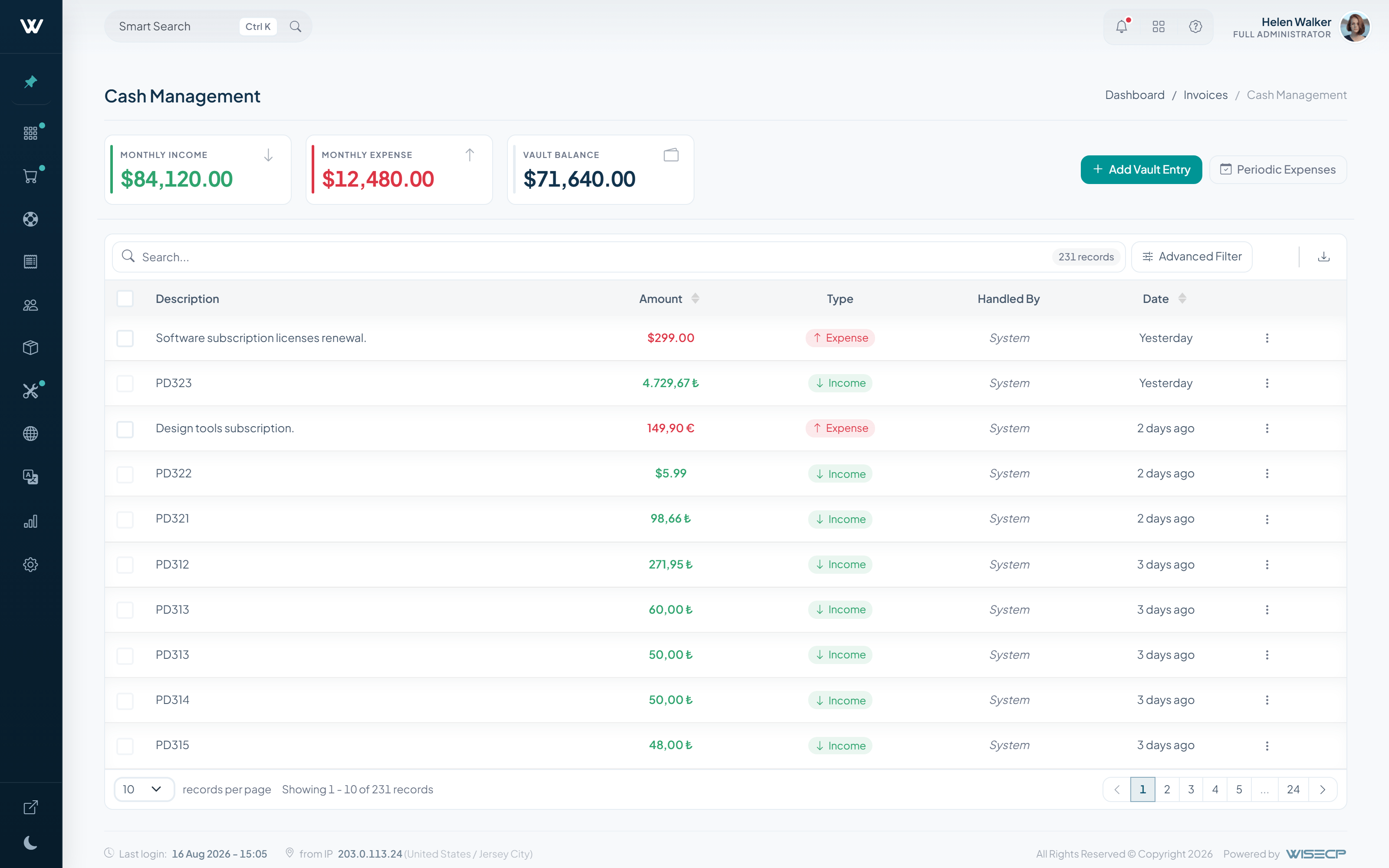
The vault now records who did what: every entry carries the staff member who handled it and the payment method used. Filter by type, date, amount, currency, payment method or staff, and apply bulk actions to whatever you selected.
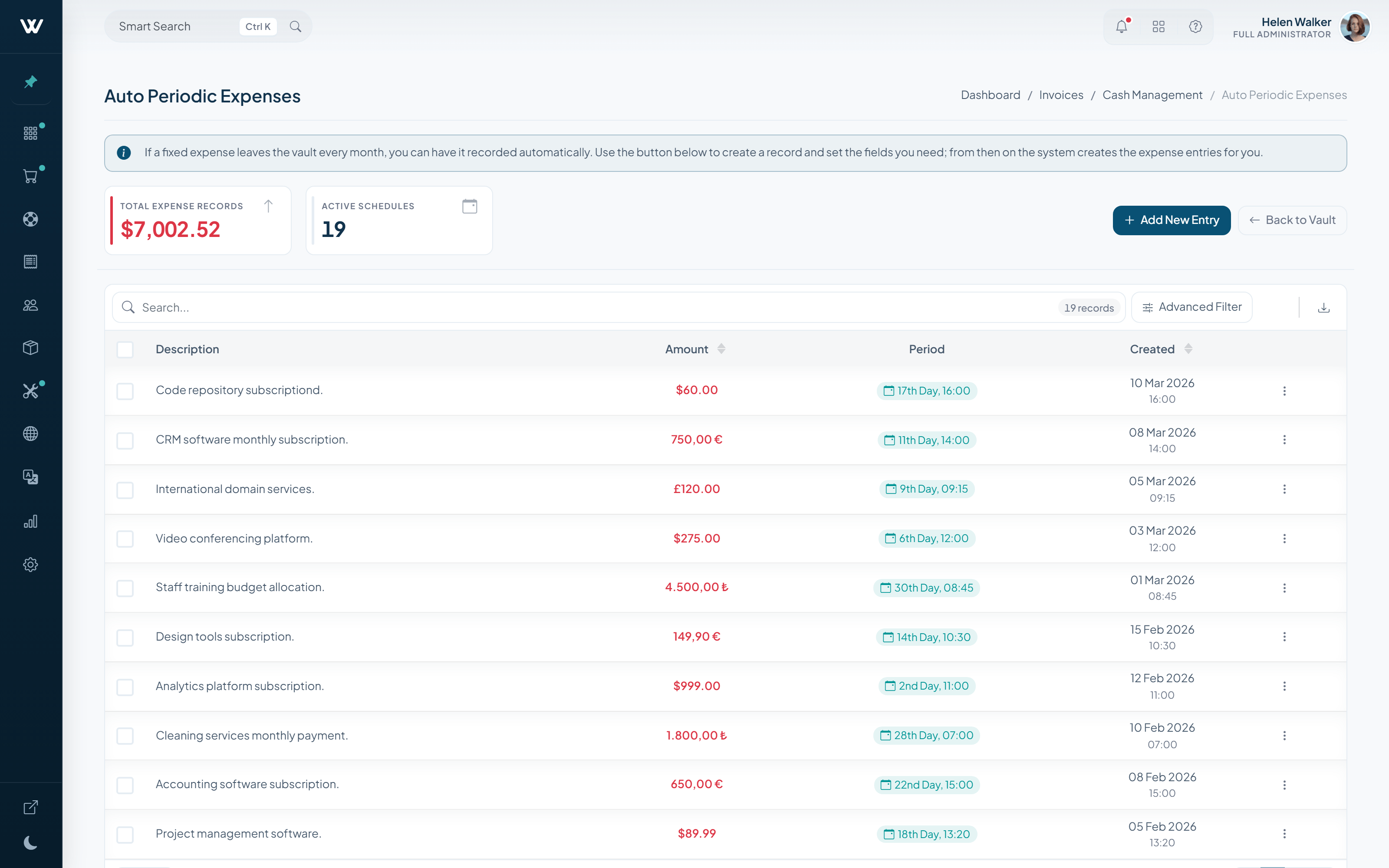
Defining a fixed expense once works as it always did; on top of it come a total-expense and active-schedule counter, advanced filtering and bulk actions. The list shows which record runs on which day of the month.
Checkout Experience
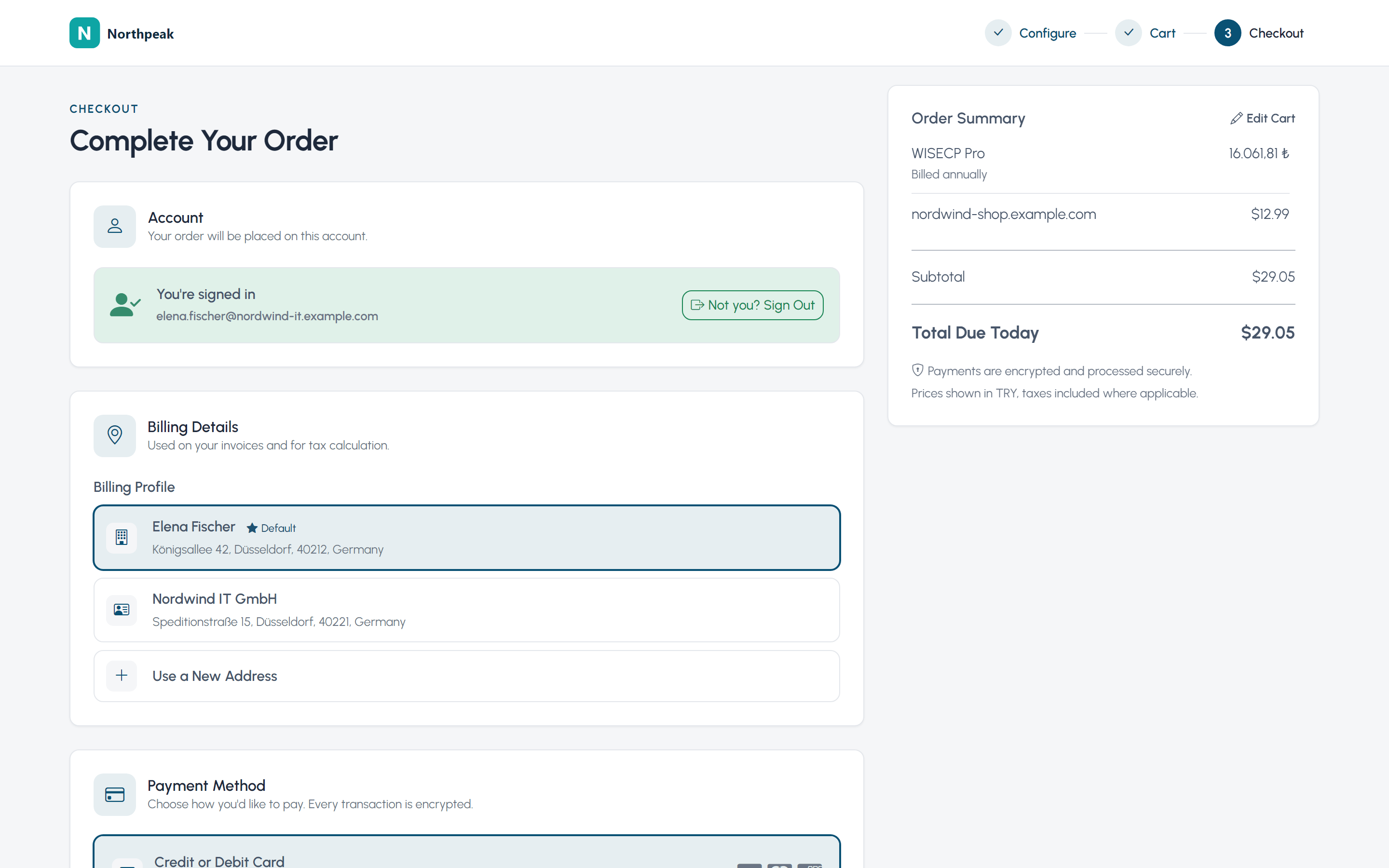
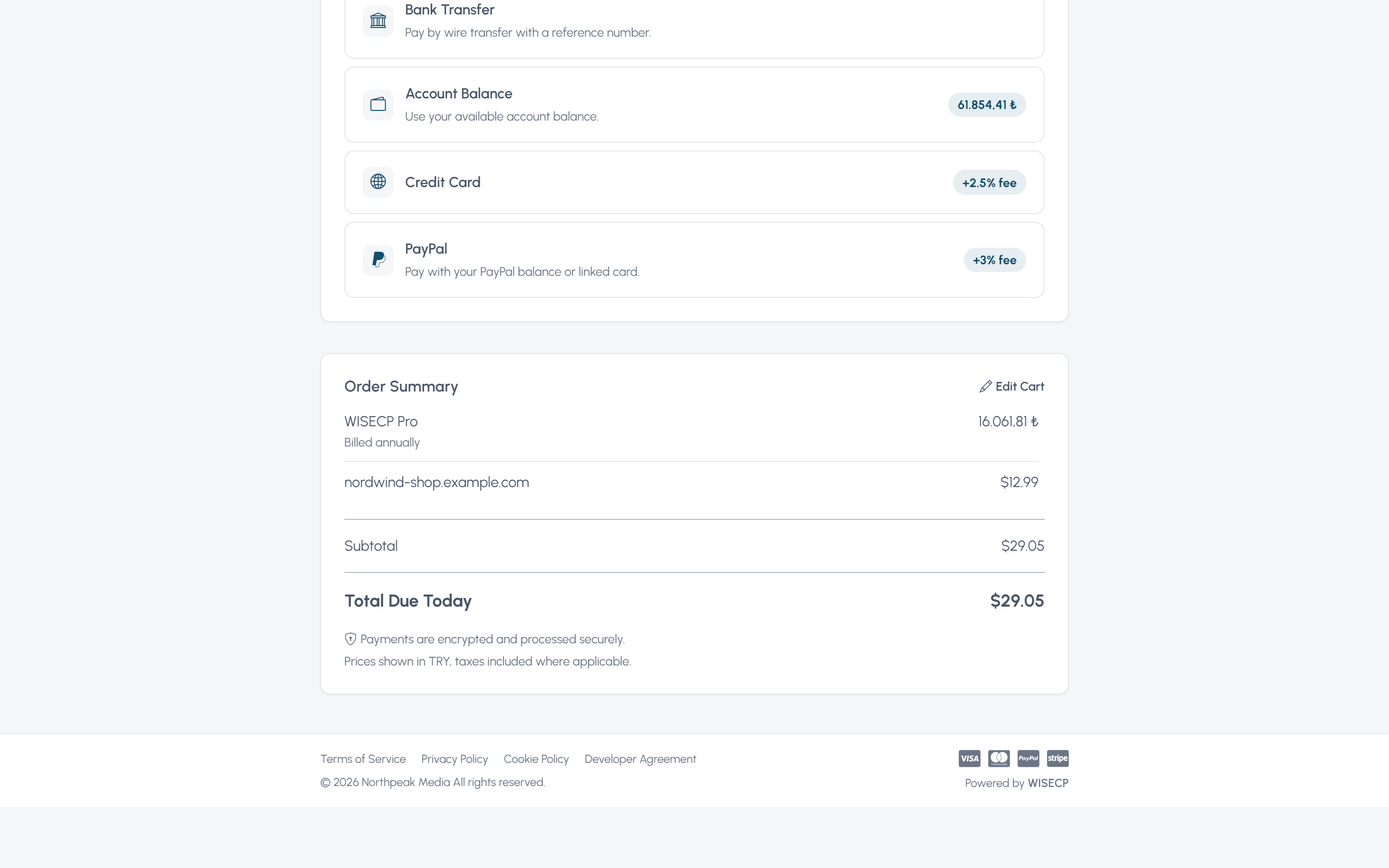
Configure, Cart and Checkout carry the same order summary from plan selection to Total Due Today. Each theme can then present that summary as Rail, Card or Stack without changing the purchase flow.
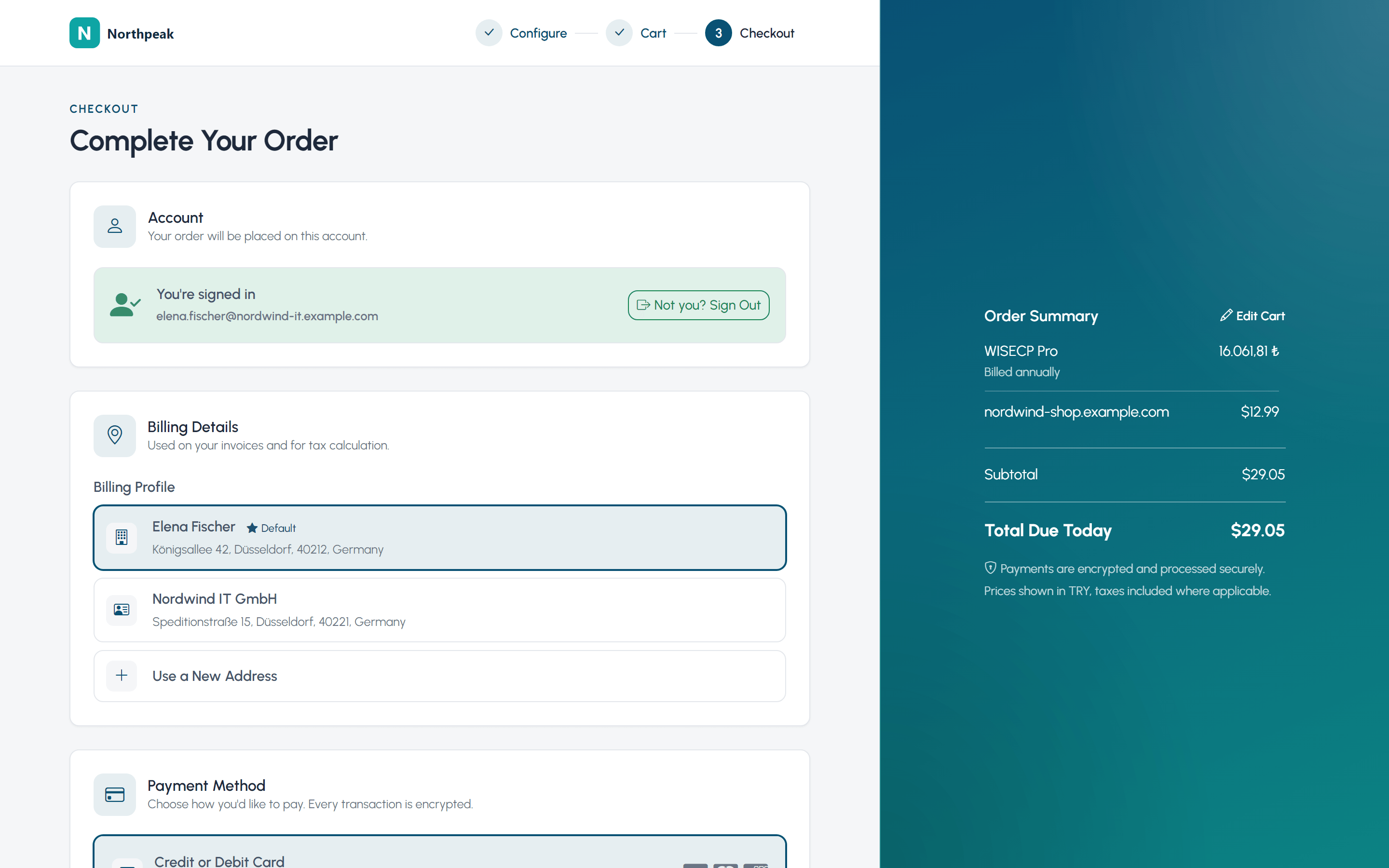
A sticky side panel keeps the summary visible while the main step scrolls.
An in-page summary column sits with the current step as part of the content.
A single-column flow places the summary below the step and keeps the total in a bottom bar.
Purchase Rules Agreements can be required during registration, purchase or account use.
Payment Continuity Tokenized gateway contracts and Saved Cards support repeat collection.
Client Intelligence
The client page gathers everything you need to know about one person in a single 360-degree view: active services, revenue to date, account age and support history. A 0-100 Trust Score built from those four inputs tells you who you are dealing with, alongside relationship badges, sub-accounts and duplicate-account checks.
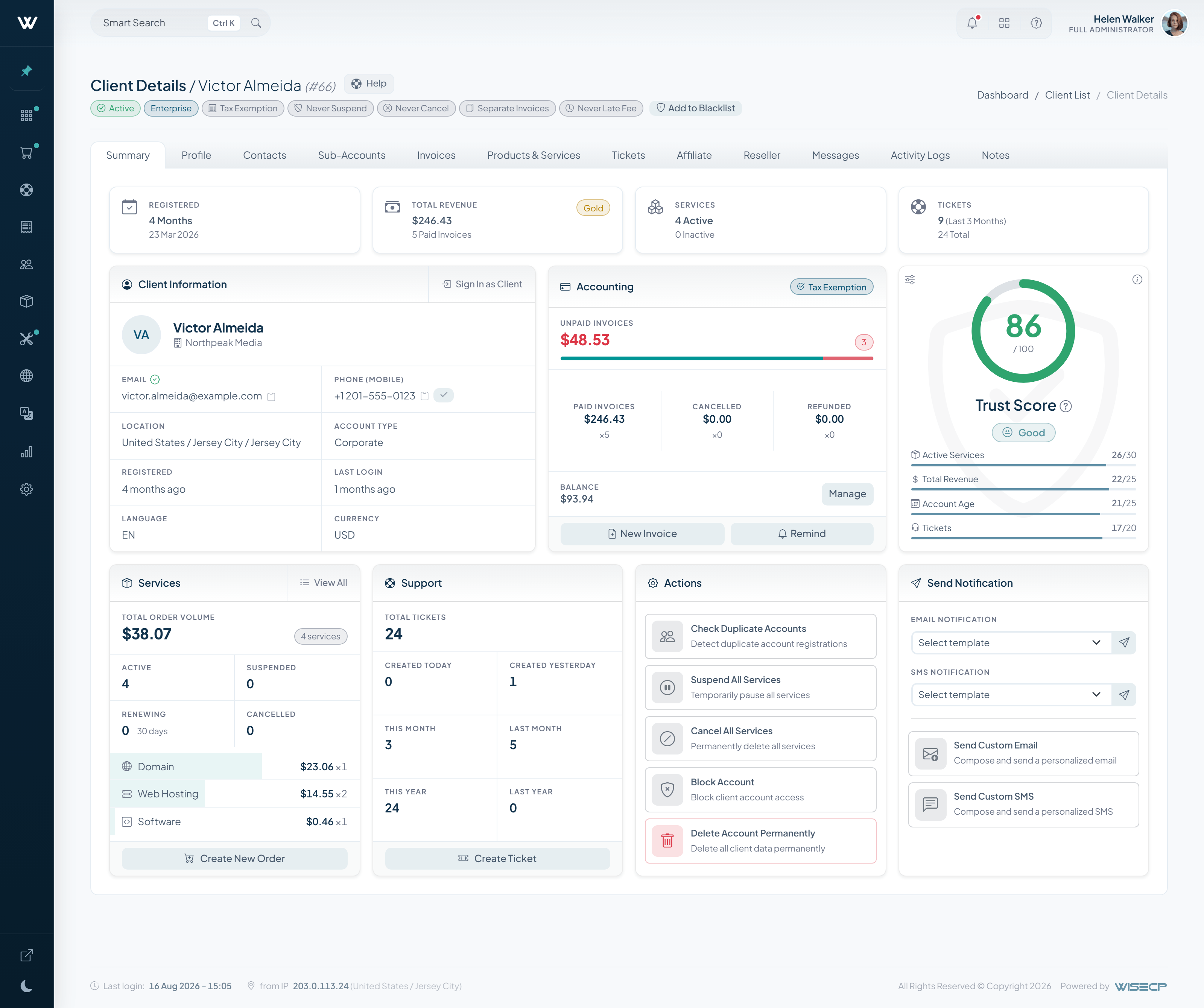
Every client carries a score computed from active services, total revenue, account age and recent ticket load. You set the thresholds, and you see who you are dealing with at a glance.
Reusable verification fields, risk conditions and optional hosted KYC can require the right proof before protected account areas become available.
Clients can wire their own services and invoices into their own systems: place orders, pull usage data, surface it in their own dashboards. You switch it on, they create their own key and set their own permissions.
Sub-accounts add delegated access, while Saved Cards, Notifications, Activity and Personal Data move into dedicated account settings.
Support
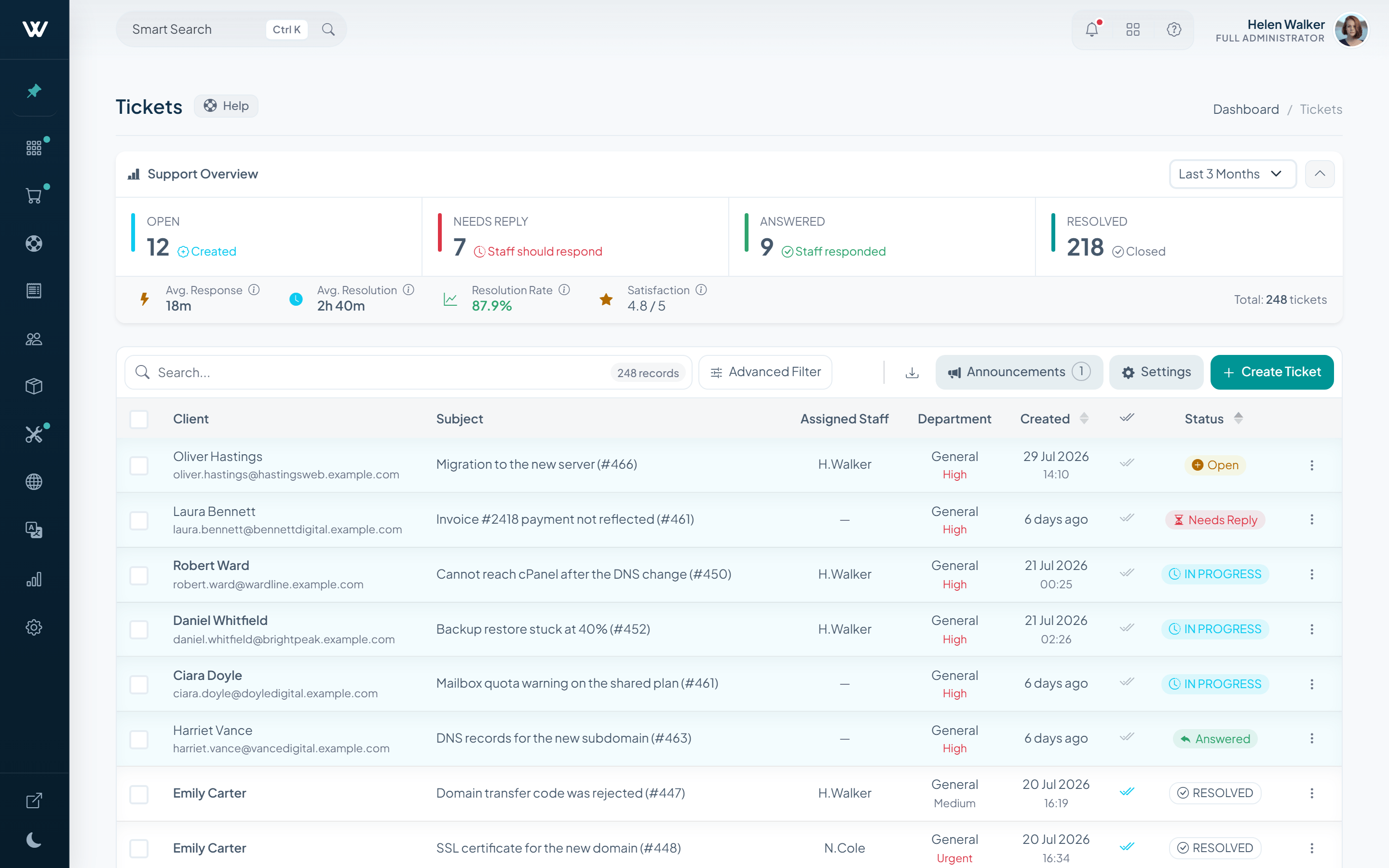
The ticket list shows where you stand at a glance: open and awaiting-reply tickets, average response time, satisfaction score. Every detail of the interface was designed for this work.
A Trustpilot score threshold can invite satisfied clients after support and feed the site's testimonial score when the integration is enabled.
Unread, replied, spam and trash folders add order, with staff read history, in-panel replies and one-step conversion into a support ticket.
WChat can turn live conversations into tickets, WTranslator can translate messages, and Advanced Virus Checker can scan attachments.
Visitors can open and follow a ticket from a protected email link, while technical and billing conversations can route to their primary departments.
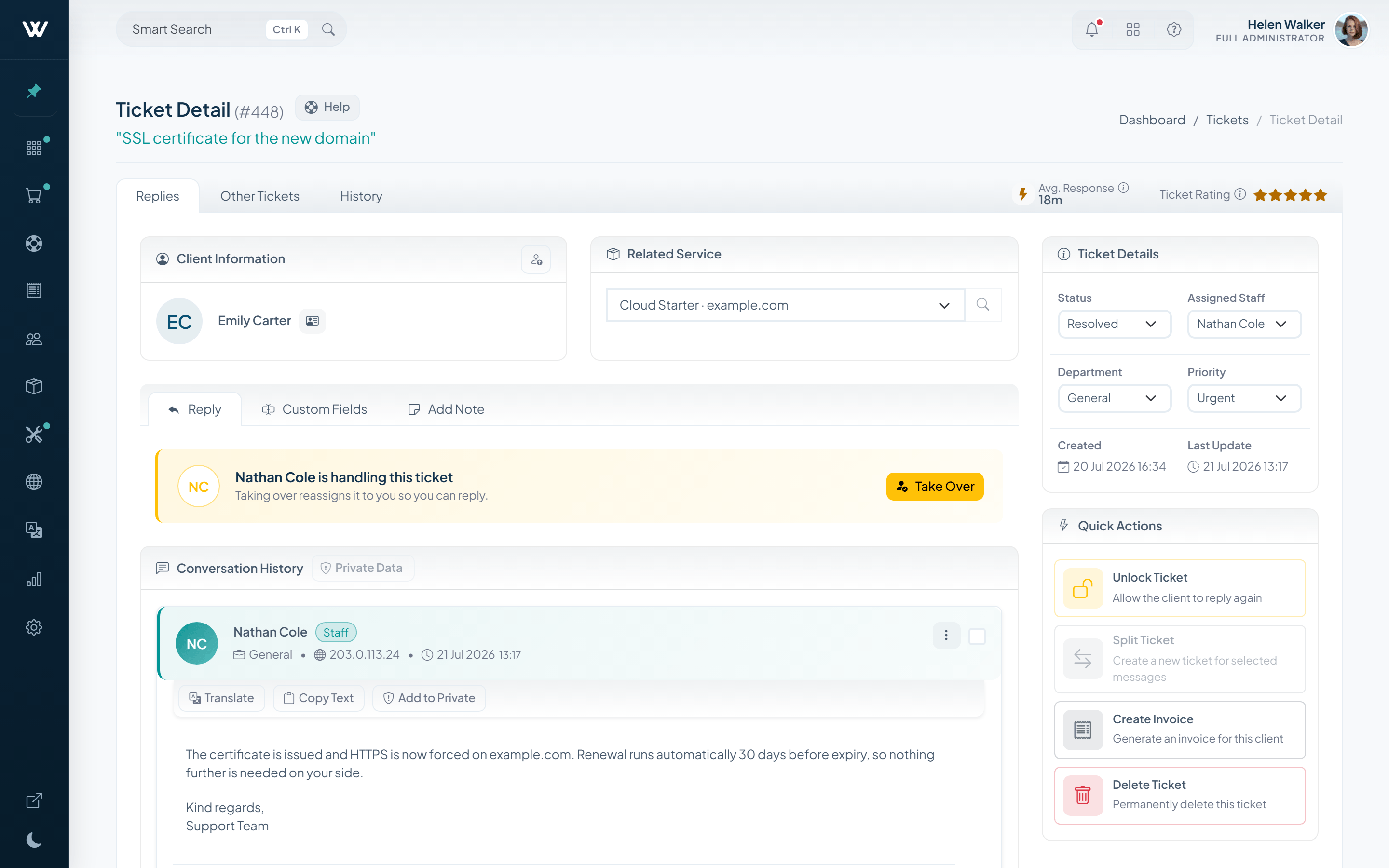
Translate, Copy Text, Add to Private, Reply with AI and View Summary stay with the message they affect.
Lock, Split Ticket, Create Invoice and Delete remain one click away without crowding the thread.
The list refreshes itself, filters by department, staff, priority and status, and applies bulk actions to whatever you select. Average response time and satisfaction score sit at the top of it.
Security
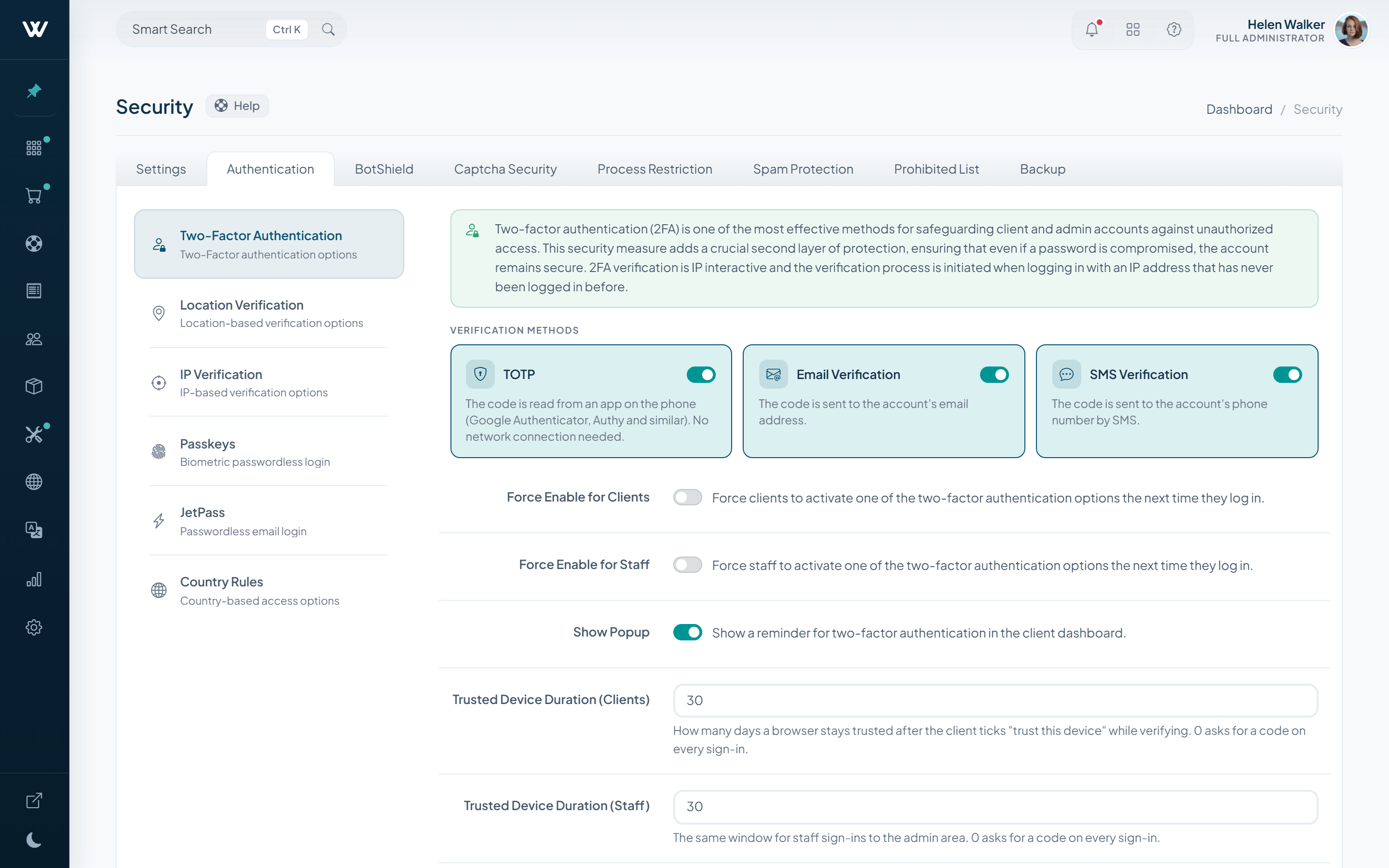
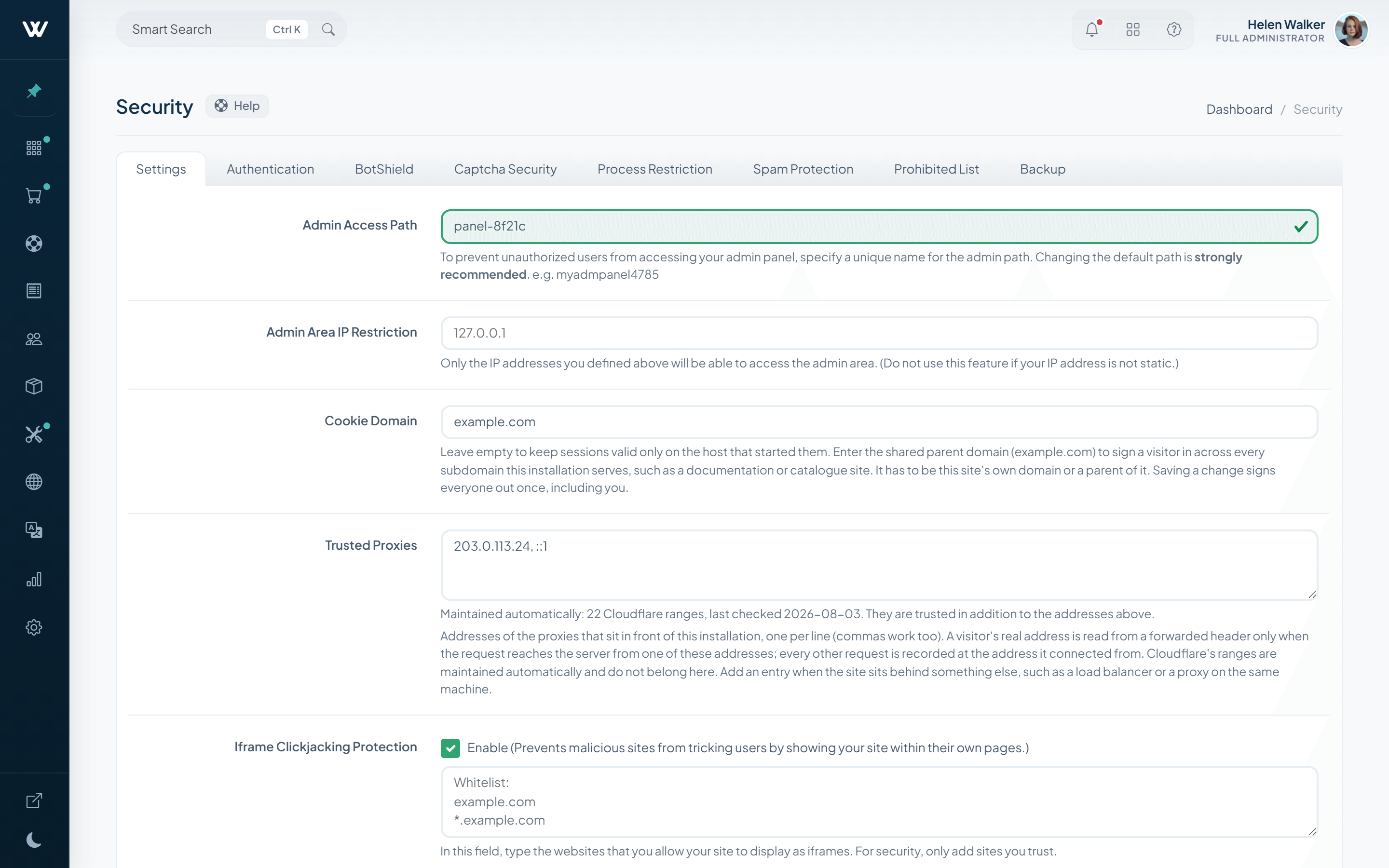
More ways to prove a sign-in belongs to the person behind it, more ways to make that mandatory, and tighter walls around the admin area.
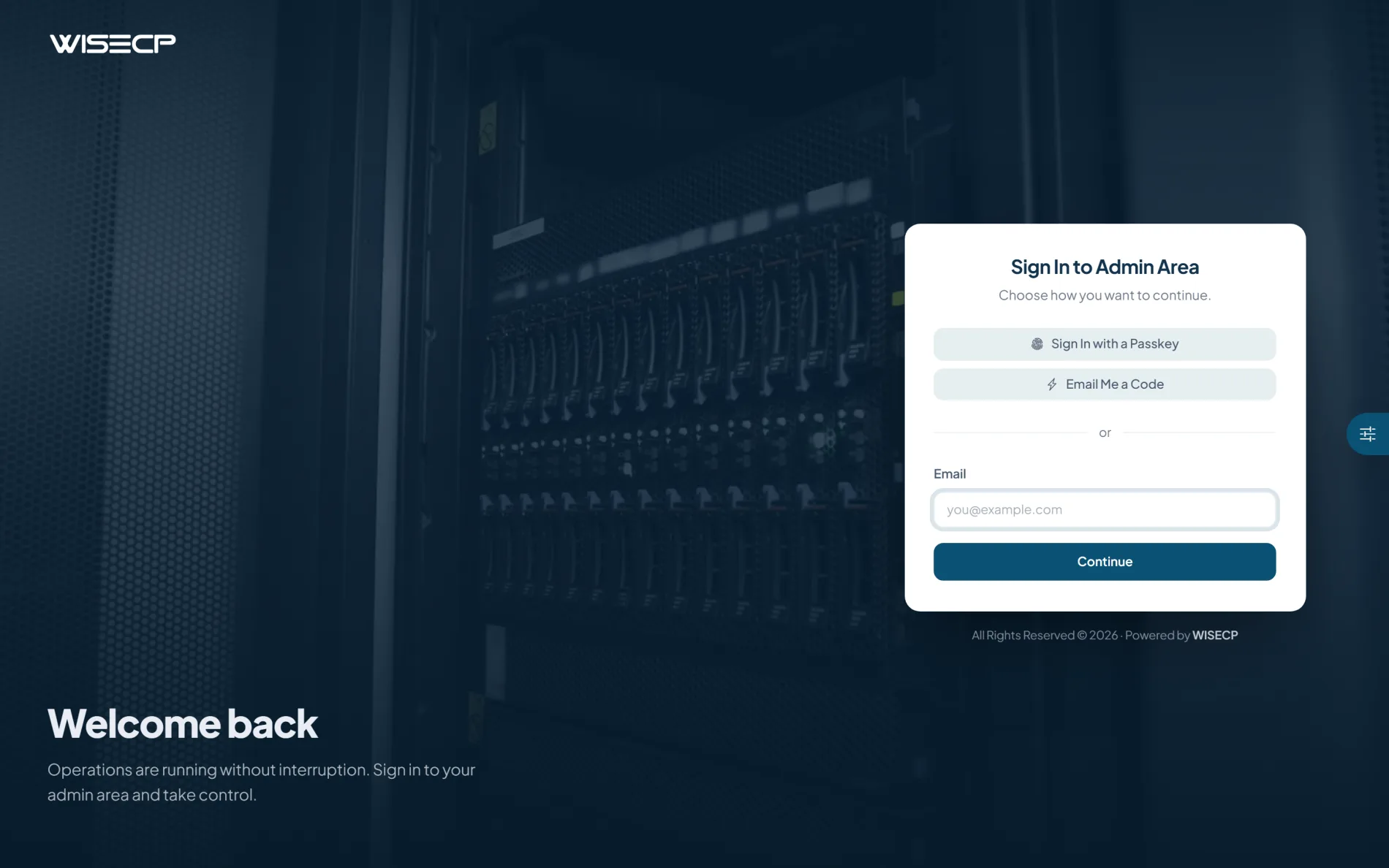
Two-factor by email, SMS or an authenticator app, plus JetPass passwordless sign-in.
Require 2FA enrollment for clients and staff, and challenge any sign-in from a new IP.
Block iframe embedding across the website, client area and admin panel, while keeping admin IP restrictions as a separate control.
Length and character rules, reset cycles, and a one-click forced reset for suspected breaches.
Schedule database, file and upload backups, manage exclusions, inspect history and send copies to six remote storage targets.
Cloudflare Turnstile and hCaptcha join the existing captcha, restriction, spam and fraud protection layers.
Themes
Basic and WStyle define the new theme system with responsive, mode-aware storefronts and structured packages built for long-term extension.
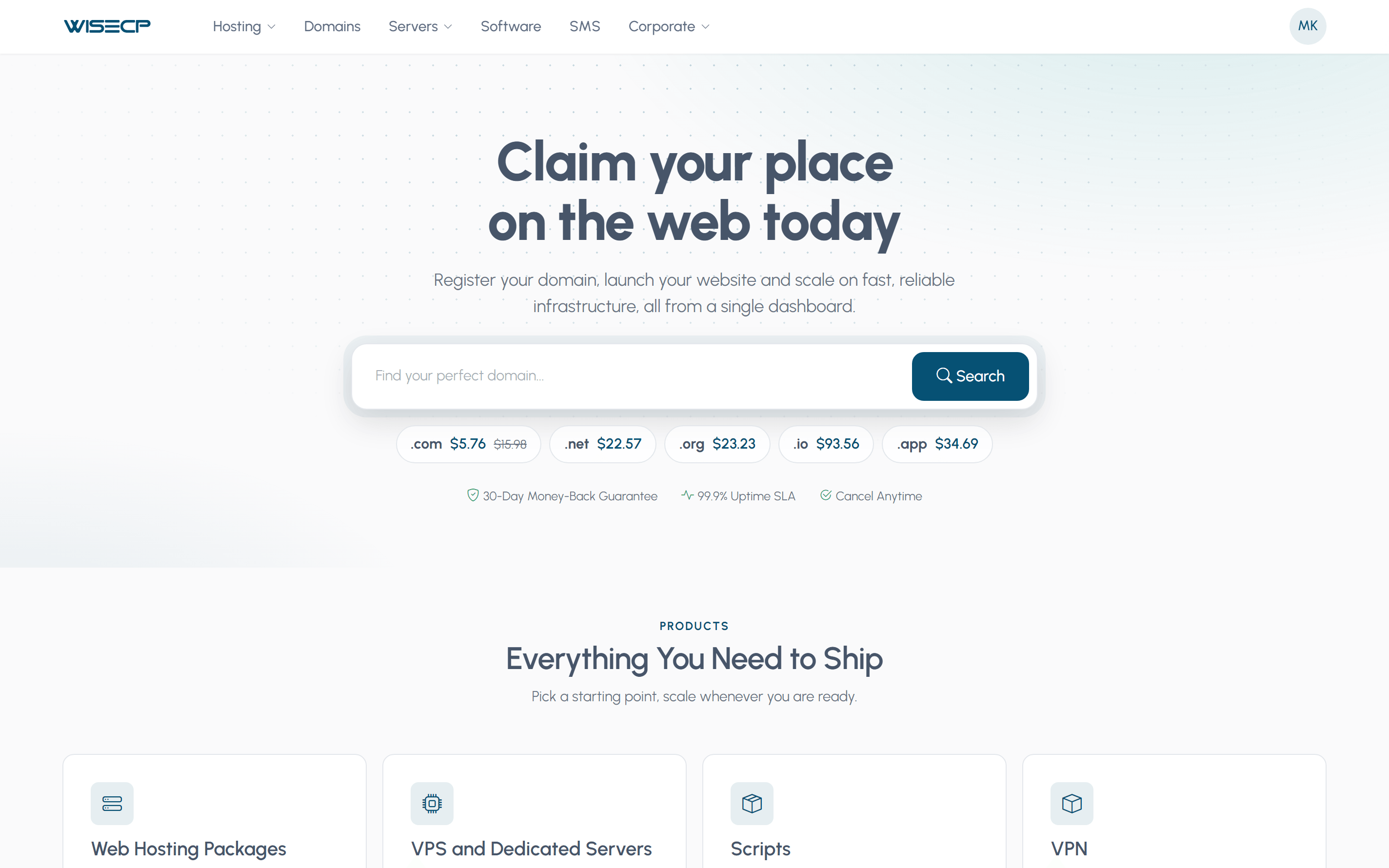
Basic provides a Bootstrap 5 foundation with light and dark modes. WStyle adds premium dark chrome, mega navigation and a sidebar client area.
Theme packages can use Smarty, Twig or pure PHP, with structured views, layouts, partials, components and theme-level hooks.
The theme gallery adds covers, versions, engine details, preview and activation controls, uploads and access to premium themes.
Choose Rail, Card or Stack for checkout summaries directly from Basic or WStyle settings, without editing page templates.
For Developers
WISECP 5.0 adds separate Admin and Client API surfaces, plus a documented server-side event hook system. The API exposes the panel's operations for external automation, while source-built OpenAPI documentation keeps the reference aligned with the product.
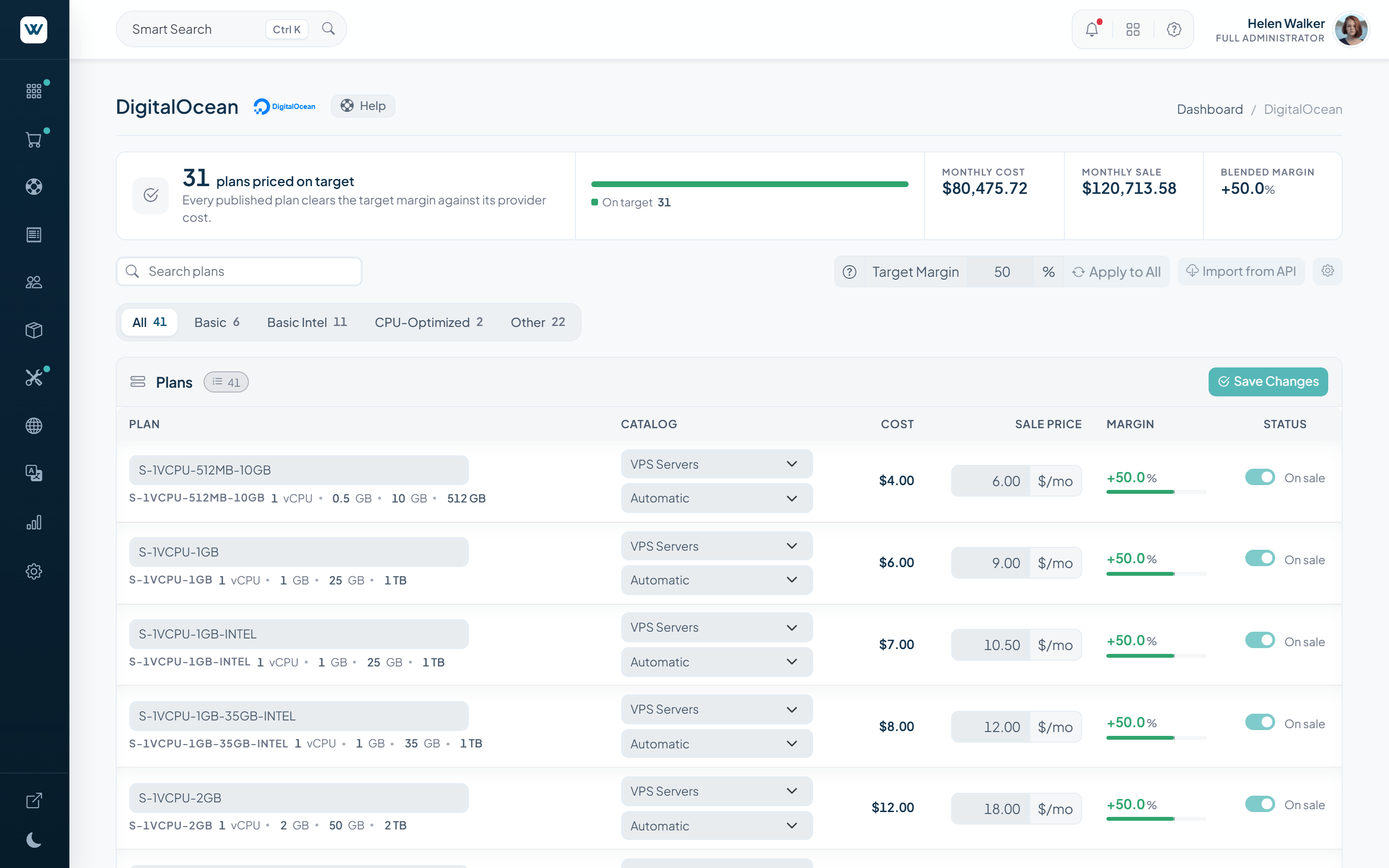
Cloud Reselling
The reseller mechanics stay the ones you know: import plans from the provider, set a profit rate and keep prices in sync. What changes is reach, from one supported provider to five, with the same operating model across each catalog.
The wider 45+ server and hosting panel module family now reaches nearly every panel operators encounter, plus cloud, virtualization, game server, streaming and email infrastructure.
Paid Modules Included in Business PlanHosting Panels
From cPanel to Proxmox, Pterodactyl to Mailcow, 40 panel and infrastructure modules ship with the install. Each one speaks that panel’s own API: the client takes a backup, edits DNS, creates a database, opens a console. Without leaving WISECP.
The panel changes, the client’s screen does not: WISECP opens the same tool set on every module, whatever that panel’s API exposes.
File manager · Backups · Databases · phpMyAdmin · Remote database · DNS zone editor · MX entry · Subdomains · Addon domains · Redirects · Email accounts · Email forwarders · Webmail · FTP accounts · SSL management · Cron jobs · PHP version · php.ini editor · IP blocker
SSH terminal · VNC console · Snapshots · Server backups · OS reinstall · Rescue mode · Firewall rules · Additional IPs · IPv6 management · Reverse DNS · Network config · Additional disks · ISO images · Bandwidth usage · Hostname change · SSH keys · Activity log
Live console · File manager · Backups · Databases · Schedules · Startup parameters · Subusers · Port allocations · Activity log
Listener chart · Broadcast history · Mount points · Relay · Listen links · Player embed code
Mailboxes · Aliases · Alias domains · DKIM · Spam filter · App passwords · Sync jobs · Webmail
Beta Program
WISECP 5.0 is in beta with limited access. Request a seat, put it through its paces in a test environment of your own and tell us what to change: operator feedback is steering the road to the final release.